
 microsoft sql server 2008 r2[/caption] Год выпуска:2011 Производитель: Специалист Автор: Специалист Продолжительность: 27:38:27 Тип материала: Видеоурок Язык: Русский Стоимость: 1999 рублей Описание: Вы познакомитесь с основами программирования и управления базами данных, что создаст прочную основу для изучения языков программирования и СУБД в нашем Центре «Специалист». Курс «Основы программирования и баз данных» посвящен изучению основ программирования для цифровых машин, освоению базовых понятий информатики, получению знания по методологии языков программирования, а также современных тенденций в программировании. В процессе обучения основам программирования в Центре «Специалист» Вы приобретете начальные навыки кодирования и реализации программ, путем оптимизации их кода. Кроме этого, на курсах по основам программирования Вы освоите проектирование и реализацию баз данных, а также программное управление ими. Цель курса:Изучение фундаментальных основ программирования для цифровых вычислительных машин и разработки баз данных, получение знаний методологий и современных технологий программирования, приобретение навыков: алгоритмизации, кодирования и реализации программ; проектирования и реализации баз данных; программного управления базами данных. По окончании курса Вы будете уметь: проектировать несложные базы данных и осуществлять их реализацию средствами СУБД Microsoft Access осуществлять преобразования чисел и выполнять над ними операции в основных системах счисления описывать схемы алгоритмов и программ, используя общепринятые нотации [wpspoiler name="Подробное описание" ] Модуль 1. Базовые понятия и определения Задача. Решение задачи; Алгоритм. Свойства алгоритмов; Программа. Программное обеспечение; Информатика. Информация. Информационная технология; Данные. Числа в арифметике; Выражения. Операнды. Знаки операций. Идентификаторы. Константы; Законы арифметики (коммутативность, ассоциативность, дистрибутивность); Модуль 2. Представление данных. Принцип программного управления Основы алгебры логики; Системы счисления; Связи между системами счисления; Основы арифметики двоичных чисел; Принцип программного управления. Базовая архитектура и структура ЭВМ. Принцип фон Неймана; Единицы измерения ёмкости запоминающих устройств; Представление целых и вещественных чисел в памяти ЭВМ; Диапазоны представления чисел в двоичной системе счисления; Представление символьной информации. Кодовые таблицы; Понятие типа данных. Модуль 3. Методологии и языки программирования Стадии и этапы разработки программ. Проектирование. Реализация. Проблемы программирования; Методологии программирования. Классификация методологий программирования (структурное, объектно-ориентированное, логическое, функциональное, программирование в ограничениях). Структурное программирование. Базовые принципы (пошаговая детализация, модульное структурное программирование); Объектно-ориентированное программирование. Базовые принципы (абстрагирование; инкапсуляция; наследование, полиморфизм); Языки программирования. Классификация. Модуль 4. Структуры данных. Основы проектирования баз данных Базовые структуры данных – массивы и записи; Основные операции над структурами данных; Динамические структуры данных. Списки. Стеки. Деревья; Информационная система. Понятие базы данных. Требования пользователей к базам данных; Проектирование баз данных; Цели и этапы проектирования. Инфологический аспект. Модель «сущность-связь». Даталогический аспект. Модели данных (иерархическая, сетевая, реляционная) их достоинства и недостатки. Реляционные базы данных. Понятие отношения. Нормализация. Системы управления базами данных; Базы данных и компьютерные сети. Сетевые и распределённые базы данных. Модуль 5. Лаб.раб. 1. Система программирования. Этапы реализации программ Установка и настройка системы программирования на языке С; Кодирование. Структура программ на языке С; Компиляция и редактирование связей; Выполнение программы в системной консоли; Разработка простейших программ на языке программирования С. Объявления. Выражения. Форматный ввод-вывод данных. Модуль 6. Лаб.раб. 2. Основы структурного кодирования. Управляющие структуры СЛЕДОВАНИЕ как простейшая управляющая структура. Условные выражения как основа формирования управляющих структур. Операции отношения и логические операции. ВЕТВЛЕНИЕ. Ветвление "если-то". Ветвление "если-то-иначе". ПОВТОРЕНИЕ (ЦИКЛЫ). Циклы с предусловием. Циклы с постусловием. Модуль 7. Лаб.раб. 3. Проектирование и реализация базы данных ПРОЕКТИРОВАНИЕ БАЗЫ ДАННЫХ Анализ предметной области. Выделение сущностей и их атрибутов. Составление универсального отношения. Нормализация. РЕАЛИЗАЦИЯ БАЗЫ ДАННЫХ СУБД Microsoft Access. Структура рабочего пространства. Объекты базы данных. Таблицы, запросы, отчёты, формы. Создание таблиц данных в режиме конструктора. Формирование запросов. Связывание таблиц. Построение отчётов. Модуль 8. Лаб.раб. 4. Использование языка SQL для программного извлечения сведений из баз данных Что такое SQL? Краткий обзор. Формирование запросов к базам данных на примере программы Microsoft Query. Создание простейшего запроса. Оператор SELECT. Квалифицированный выбор – предложение WHERE. Запрос нескольких таблиц, как одной. [/wpspoiler]
 MS SQL Server 2008
[caption id="attachment_1233" align="alignright" width="300" class=" "] microsoft sql server 2008 r2[/caption] Год выпуска:2011 Производитель: Специалист Автор: Специалист Продолжительность: 27:38:27 Тип материала: Видеоурок Язык: Русский Стоимость: 1999 рублей Описание: Вы познакомитесь с основами программирования и управления базами данных, что создаст прочную основу для изучения языков программирования и СУБД в нашем Центре «Специалист». Курс «Основы программирования и баз данных» посвящен изучению основ программирования для цифровых машин, освоению базовых понятий информатики, получению знания по методологии языков программирования, а также современных тенденций в программировании. В процессе обучения основам программирования в Центре «Специалист» Вы приобретете начальные навыки кодирования и реализации программ, путем оптимизации их кода. Кроме этого, на курсах по основам программирования Вы освоите проектирование и реализацию баз данных, а также программное управление ими. Цель курса:Изучение фундаментальных основ программирования для цифровых вычислительных машин и разработки баз данных, получение знаний методологий и современных технологий программирования, приобретение навыков: алгоритмизации, кодирования и реализации программ; проектирования и реализации баз данных; программного управления базами данных. По окончании курса Вы будете уметь: проектировать несложные базы данных и осуществлять их реализацию средствами СУБД Microsoft Access осуществлять преобразования чисел и выполнять над ними операции в основных системах счисления описывать схемы алгоритмов и программ, используя общепринятые нотации [wpspoiler name="Подробное описание" ] Модуль 1. Базовые понятия и определения Задача. Решение задачи; Алгоритм. Свойства алгоритмов; Программа. Программное обеспечение; Информатика. Информация. Информационная технология; Данные. Числа в арифметике; Выражения. Операнды. Знаки операций. Идентификаторы. Константы; Законы арифметики (коммутативность, ассоциативность, дистрибутивность); Модуль 2. Представление данных. Принцип программного управления Основы алгебры логики; Системы счисления; Связи между системами счисления; Основы арифметики двоичных чисел; Принцип программного управления. Базовая архитектура и структура ЭВМ. Принцип фон Неймана; Единицы измерения ёмкости запоминающих устройств; Представление целых и вещественных чисел в памяти ЭВМ; Диапазоны представления чисел в двоичной системе счисления; Представление символьной информации. Кодовые таблицы; Понятие типа данных. Модуль 3. Методологии и языки программирования Стадии и этапы разработки программ. Проектирование. Реализация. Проблемы программирования; Методологии программирования. Классификация методологий программирования (структурное, объектно-ориентированное, логическое, функциональное, программирование в ограничениях). Структурное программирование. Базовые принципы (пошаговая детализация, модульное структурное программирование); Объектно-ориентированное программирование. Базовые принципы (абстрагирование; инкапсуляция; наследование, полиморфизм); Языки программирования. Классификация. Модуль 4. Структуры данных. Основы проектирования баз данных Базовые структуры данных – массивы и записи; Основные операции над структурами данных; Динамические структуры данных. Списки. Стеки. Деревья; Информационная система. Понятие базы данных. Требования пользователей к базам данных; Проектирование баз данных; Цели и этапы проектирования. Инфологический аспект. Модель «сущность-связь». Даталогический аспект. Модели данных (иерархическая, сетевая, реляционная) их достоинства и недостатки. Реляционные базы данных. Понятие отношения. Нормализация. Системы управления базами данных; Базы данных и компьютерные сети. Сетевые и распределённые базы данных. Модуль 5. Лаб.раб. 1. Система программирования. Этапы реализации программ Установка и настройка системы программирования на языке С; Кодирование. Структура программ на языке С; Компиляция и редактирование связей; Выполнение программы в системной консоли; Разработка простейших программ на языке программирования С. Объявления. Выражения. Форматный ввод-вывод данных. Модуль 6. Лаб.раб. 2. Основы структурного кодирования. Управляющие структуры СЛЕДОВАНИЕ как простейшая управляющая структура. Условные выражения как основа формирования управляющих структур. Операции отношения и логические операции. ВЕТВЛЕНИЕ. Ветвление "если-то". Ветвление "если-то-иначе". ПОВТОРЕНИЕ (ЦИКЛЫ). Циклы с предусловием. Циклы с постусловием. Модуль 7. Лаб.раб. 3. Проектирование и реализация базы данных ПРОЕКТИРОВАНИЕ БАЗЫ ДАННЫХ Анализ предметной области. Выделение сущностей и их атрибутов. Составление универсального отношения. Нормализация. РЕАЛИЗАЦИЯ БАЗЫ ДАННЫХ СУБД Microsoft Access. Структура рабочего пространства. Объекты базы данных. Таблицы, запросы, отчёты, формы. Создание таблиц данных в режиме конструктора. Формирование запросов. Связывание таблиц. Построение отчётов. Модуль 8. Лаб.раб. 4. Использование языка SQL для программного извлечения сведений из баз данных Что такое SQL? Краткий обзор. Формирование запросов к базам данных на примере программы Microsoft Query. Создание простейшего запроса. Оператор SELECT. Квалифицированный выбор – предложение WHERE. Запрос нескольких таблиц, как одной. [/wpspoiler]
microsoft sql server 2008 r2[/caption] Год выпуска:2011 Производитель: Специалист Автор: Специалист Продолжительность: 27:38:27 Тип материала: Видеоурок Язык: Русский Стоимость: 1999 рублей Описание: Вы познакомитесь с основами программирования и управления базами данных, что создаст прочную основу для изучения языков программирования и СУБД в нашем Центре «Специалист». Курс «Основы программирования и баз данных» посвящен изучению основ программирования для цифровых машин, освоению базовых понятий информатики, получению знания по методологии языков программирования, а также современных тенденций в программировании. В процессе обучения основам программирования в Центре «Специалист» Вы приобретете начальные навыки кодирования и реализации программ, путем оптимизации их кода. Кроме этого, на курсах по основам программирования Вы освоите проектирование и реализацию баз данных, а также программное управление ими. Цель курса:Изучение фундаментальных основ программирования для цифровых вычислительных машин и разработки баз данных, получение знаний методологий и современных технологий программирования, приобретение навыков: алгоритмизации, кодирования и реализации программ; проектирования и реализации баз данных; программного управления базами данных. По окончании курса Вы будете уметь: проектировать несложные базы данных и осуществлять их реализацию средствами СУБД Microsoft Access осуществлять преобразования чисел и выполнять над ними операции в основных системах счисления описывать схемы алгоритмов и программ, используя общепринятые нотации [wpspoiler name="Подробное описание" ] Модуль 1. Базовые понятия и определения Задача. Решение задачи; Алгоритм. Свойства алгоритмов; Программа. Программное обеспечение; Информатика. Информация. Информационная технология; Данные. Числа в арифметике; Выражения. Операнды. Знаки операций. Идентификаторы. Константы; Законы арифметики (коммутативность, ассоциативность, дистрибутивность); Модуль 2. Представление данных. Принцип программного управления Основы алгебры логики; Системы счисления; Связи между системами счисления; Основы арифметики двоичных чисел; Принцип программного управления. Базовая архитектура и структура ЭВМ. Принцип фон Неймана; Единицы измерения ёмкости запоминающих устройств; Представление целых и вещественных чисел в памяти ЭВМ; Диапазоны представления чисел в двоичной системе счисления; Представление символьной информации. Кодовые таблицы; Понятие типа данных. Модуль 3. Методологии и языки программирования Стадии и этапы разработки программ. Проектирование. Реализация. Проблемы программирования; Методологии программирования. Классификация методологий программирования (структурное, объектно-ориентированное, логическое, функциональное, программирование в ограничениях). Структурное программирование. Базовые принципы (пошаговая детализация, модульное структурное программирование); Объектно-ориентированное программирование. Базовые принципы (абстрагирование; инкапсуляция; наследование, полиморфизм); Языки программирования. Классификация. Модуль 4. Структуры данных. Основы проектирования баз данных Базовые структуры данных – массивы и записи; Основные операции над структурами данных; Динамические структуры данных. Списки. Стеки. Деревья; Информационная система. Понятие базы данных. Требования пользователей к базам данных; Проектирование баз данных; Цели и этапы проектирования. Инфологический аспект. Модель «сущность-связь». Даталогический аспект. Модели данных (иерархическая, сетевая, реляционная) их достоинства и недостатки. Реляционные базы данных. Понятие отношения. Нормализация. Системы управления базами данных; Базы данных и компьютерные сети. Сетевые и распределённые базы данных. Модуль 5. Лаб.раб. 1. Система программирования. Этапы реализации программ Установка и настройка системы программирования на языке С; Кодирование. Структура программ на языке С; Компиляция и редактирование связей; Выполнение программы в системной консоли; Разработка простейших программ на языке программирования С. Объявления. Выражения. Форматный ввод-вывод данных. Модуль 6. Лаб.раб. 2. Основы структурного кодирования. Управляющие структуры СЛЕДОВАНИЕ как простейшая управляющая структура. Условные выражения как основа формирования управляющих структур. Операции отношения и логические операции. ВЕТВЛЕНИЕ. Ветвление "если-то". Ветвление "если-то-иначе". ПОВТОРЕНИЕ (ЦИКЛЫ). Циклы с предусловием. Циклы с постусловием. Модуль 7. Лаб.раб. 3. Проектирование и реализация базы данных ПРОЕКТИРОВАНИЕ БАЗЫ ДАННЫХ Анализ предметной области. Выделение сущностей и их атрибутов. Составление универсального отношения. Нормализация. РЕАЛИЗАЦИЯ БАЗЫ ДАННЫХ СУБД Microsoft Access. Структура рабочего пространства. Объекты базы данных. Таблицы, запросы, отчёты, формы. Создание таблиц данных в режиме конструктора. Формирование запросов. Связывание таблиц. Построение отчётов. Модуль 8. Лаб.раб. 4. Использование языка SQL для программного извлечения сведений из баз данных Что такое SQL? Краткий обзор. Формирование запросов к базам данных на примере программы Microsoft Query. Создание простейшего запроса. Оператор SELECT. Квалифицированный выбор – предложение WHERE. Запрос нескольких таблиц, как одной. [/wpspoiler] MS SQL Server 2008
[caption id="attachment_1233" align="alignright" width="300" class=" "] microsoft sql server 2008 r2[/caption] Год выпуска: 2013 Производитель: CBT Nuggets Автор: Anthony Sequeira Продолжительность: 06:54:43 Тип раздаваемого материала: Видеоурок Язык: Английский Стоимость: 1999 рублей Описание: Exam 70-452 retired July 31, 2013. However, this course retains value as a training resource. Are you ready to design and plan database business solutions for your company? SQL Server 2008 offers database managers lots of built in controls and plenty of great opportunity to enhance their reputations. In this CBT Nuggets video course you'll learn to plan the design and implementation of your SQL Server 2008 SSIS, SSAS and SSRS projects. This training maps to Microsoft exam 70-452. After watching this course you'll be fully prepared to take the exam and earn Microsoft PRO: Designing a Business Intelligence Infrastructure Using Microsoft SQL Server 2008. It's also your final towards earning SQL Server 2008 Business Intelligence MCITP Certification. All trademarks and copyrights are the property of their respective holders. [wpspoiler name="Подробное описание" ] 1. SSRS Architecture Overview (00:25:32) SSRS architecture overview, simple report, SSRS drill-through reports, SSRS drill-down reports, SSRS sub-reports, SSRS subscriptions, SSRS data-driven subscriptions 2. SSRS & .NET (00:29:53) SSRS .NET integration, SSRS web services, SSRS SOAP API, SSRS code-behind, SSRS URL access 3. SSRS Data Sets & Filters (00:29:07) SSRS data sources, SSRS filters, SSRS query parameters, SSAS data source, SSAS filter, SSRS procedure data source 4. SSRS Templates, RDL & Advanced Reports (00:25:33) SSRS templates, generating RDL, SSRS matrix reports, SSRS cross-tab reports, SSRS third-party controls 5. SSRS Deployment & Migration (00:29:31) SSRS deployment scenarios, automating deployment, configuring SSRS deployment 6. Scaling SQL Server 2008 (00:21:50) SQL Server editions, SSRS scale-out deployment, scaling SSIS, scaling SSAS 7. SQL Server 2008 Performance (00:34:52) SQL Server 2008 performance, resource governor, performance counters, data management warehouse 8. Aggregations & Partitions (00:34:50) SSAS aggregations, partitions, attribute hierarchies, dimension design 9. Data Mining Design (00:28:45) SSAS data mining, staging data, mining algorithms, Microsoft Excel data mining add-on 10. SQL Server 2008 Advanced Data Mining (00:24:38) SSAS refining testing model, SSAS DMX queries 11. SQL Server 2008 Sharepoint Integration (00:29:00) SSRS SharePoint integration, reporting services SharePoint integration mode, deploying reports to SharePoint 12. SQL Server 2008 Visualization Tools (00:22:54) Integrating SQL Server and SharePoint, SharePoint reports 13. SQL Server 2008 Auditing (00:29:04) Benefits of SQL Server auditing, Setting up SQL Server auditing, auditing objects, database audit specifications, server audit specifications 14. SSAS -- Moving Packages (00:25:56) SSAS Deployment, SSAS security, SSAS scheduling, dtexec 15. SSAS International Considerations (00:23:18) SSAS international considerations, SSAS translations, SSAS currencies [/wpspoiler]
microsoft sql server 2008 r2[/caption] Год выпуска: 2013 Производитель: CBT Nuggets Автор: Anthony Sequeira Продолжительность: 06:54:43 Тип раздаваемого материала: Видеоурок Язык: Английский Стоимость: 1999 рублей Описание: Exam 70-452 retired July 31, 2013. However, this course retains value as a training resource. Are you ready to design and plan database business solutions for your company? SQL Server 2008 offers database managers lots of built in controls and plenty of great opportunity to enhance their reputations. In this CBT Nuggets video course you'll learn to plan the design and implementation of your SQL Server 2008 SSIS, SSAS and SSRS projects. This training maps to Microsoft exam 70-452. After watching this course you'll be fully prepared to take the exam and earn Microsoft PRO: Designing a Business Intelligence Infrastructure Using Microsoft SQL Server 2008. It's also your final towards earning SQL Server 2008 Business Intelligence MCITP Certification. All trademarks and copyrights are the property of their respective holders. [wpspoiler name="Подробное описание" ] 1. SSRS Architecture Overview (00:25:32) SSRS architecture overview, simple report, SSRS drill-through reports, SSRS drill-down reports, SSRS sub-reports, SSRS subscriptions, SSRS data-driven subscriptions 2. SSRS & .NET (00:29:53) SSRS .NET integration, SSRS web services, SSRS SOAP API, SSRS code-behind, SSRS URL access 3. SSRS Data Sets & Filters (00:29:07) SSRS data sources, SSRS filters, SSRS query parameters, SSAS data source, SSAS filter, SSRS procedure data source 4. SSRS Templates, RDL & Advanced Reports (00:25:33) SSRS templates, generating RDL, SSRS matrix reports, SSRS cross-tab reports, SSRS third-party controls 5. SSRS Deployment & Migration (00:29:31) SSRS deployment scenarios, automating deployment, configuring SSRS deployment 6. Scaling SQL Server 2008 (00:21:50) SQL Server editions, SSRS scale-out deployment, scaling SSIS, scaling SSAS 7. SQL Server 2008 Performance (00:34:52) SQL Server 2008 performance, resource governor, performance counters, data management warehouse 8. Aggregations & Partitions (00:34:50) SSAS aggregations, partitions, attribute hierarchies, dimension design 9. Data Mining Design (00:28:45) SSAS data mining, staging data, mining algorithms, Microsoft Excel data mining add-on 10. SQL Server 2008 Advanced Data Mining (00:24:38) SSAS refining testing model, SSAS DMX queries 11. SQL Server 2008 Sharepoint Integration (00:29:00) SSRS SharePoint integration, reporting services SharePoint integration mode, deploying reports to SharePoint 12. SQL Server 2008 Visualization Tools (00:22:54) Integrating SQL Server and SharePoint, SharePoint reports 13. SQL Server 2008 Auditing (00:29:04) Benefits of SQL Server auditing, Setting up SQL Server auditing, auditing objects, database audit specifications, server audit specifications 14. SSAS -- Moving Packages (00:25:56) SSAS Deployment, SSAS security, SSAS scheduling, dtexec 15. SSAS International Considerations (00:23:18) SSAS international considerations, SSAS translations, SSAS currencies [/wpspoiler] MS SQL Server 2008
[caption id="attachment_1233" align="alignright" width="300" class=" "] microsoft sql server 2008 r2[/caption] Год выпуска: 2010 Производитель: CBT Nuggets Автор: Anthony Sequeira Продолжительность: 07:00:52 Тип раздаваемого материала: Видеоурок Язык: Английский Стоимость: 1999 рублей Описание: In this training, database expert Don Jones takes you on a tour of SQL Server 2008 that ultimately prepares you for prestigious Microsoft MCITP: SQL Server 2008 Database Developer certification. He starts by covering the basics, including relational database concepts and table design, and moves you all the way through to advanced topics, like query optimization and index tuning. Throughout, you'll get plenty of in-the-product experience and demonstrations, clear explanations of core concepts, and guidance for implementing best practices in your own database application designs. All trademarks and copyrights are the property of their respective holders. [wpspoiler name="Подробное описание" ] 1. Introduction (00:04:26) This MCITP certification training series will start with an overview of the series. 2. SQL Server Components (00:19:38) Training content; SQL Server Agent, Database Mil, Service broker, Full-text search, DTC, linked servers, and more 3. Relational Database Basics (00:19:22) Training content; Physical storage model, relational data, and database objects 4. Designing a Database Model (00:21:29) Continuing your MCITP certification exam readiness, we will discuss designing a database model, in this training video. 5. Using the Entity Framework (00:12:40) MCITP training content; what is the entity framework, mappings and models and finally entity SQL. 6. Designing Application Security (00:26:20) Training content; Security overview, authentication mode, schema ownership, execution context, permissions, database roles 7. Designing a Full-Text Search Strategy (00:16:33) About full-text search: contains, CONTAINSTABLE, FREETEXT and FREETEXITABLE. 8. Selecting Data Types for Tables (00:12:29) About data types: new types (geography, hierarchyid, date, time, datetime2, datetimeoffset, varbinary (MAX), and filestream); traditional types (varchar and varchar(MAX), char, ints, bit); Outdated types; Type options 9. Designing Tables (00:29:44) Table width, sizing data columns, IN_ROW_DATA, overflow data, sparse columns, computed columns, persisted computed columns 10. Designing Programming Constructs (00:24:55) Stored procedures, types, functions, aggregates, triggers; CLR vs. T-SQL 11. Designing T-SQL Construts (00:21:23) Functions vs. views, determinism, parameters, EXECUTE AS, TRY/CATCH, WITH RECOMPILE, etc. 12. Designing Views (00:26:16) About views, CTEs, partitioned views, indexed views, updatable indexed views, check option, schema binding 13. Special Programming Concerns (00:17:20) Preventing SQL injection attacks, ownership chains on programming objects, cross-database ownership chaining 14. Designing a Transaction and Concurrency Strategy (00:23:01) About locking: designing locking granularity; about transactions, designing transactions; about concurrency, designing for concurrency 15. Designing an XML Strategy (00:25:45) About XML: designing XML storage; designing an XML query strategy; XML data transformation 16. Understanding Query Optimization (00:21:32) How queries are physically executed; how indexes are used; about execution plans; row-based vs set-based operations 17. Designing Optimized Queries (00:27:42) MCITP certification training content; About the Query Optimizer; Optimize and Tune Queries; Analyze execution plans; row-based cs; Set-based operations 18. Designing Optimized Index Strategies (00:23:06) MCITP training content; Views: filtered indexes; indexed views; clustered and non-clustered indexes; unique indexes 19. Designing Scalable Database Solutions (00:26:04) Training content; About scalability: scale up vs out; federated databases; distributed partitioned views; scalable shared databases; replication; offloading read-only queries 20. Designing Database Performance Strategies (00:21:07) Lets wrap up your MCITP certification readiness training by talking about plan guides, partitions and compression. [/wpspoiler]
microsoft sql server 2008 r2[/caption] Год выпуска: 2010 Производитель: CBT Nuggets Автор: Anthony Sequeira Продолжительность: 07:00:52 Тип раздаваемого материала: Видеоурок Язык: Английский Стоимость: 1999 рублей Описание: In this training, database expert Don Jones takes you on a tour of SQL Server 2008 that ultimately prepares you for prestigious Microsoft MCITP: SQL Server 2008 Database Developer certification. He starts by covering the basics, including relational database concepts and table design, and moves you all the way through to advanced topics, like query optimization and index tuning. Throughout, you'll get plenty of in-the-product experience and demonstrations, clear explanations of core concepts, and guidance for implementing best practices in your own database application designs. All trademarks and copyrights are the property of their respective holders. [wpspoiler name="Подробное описание" ] 1. Introduction (00:04:26) This MCITP certification training series will start with an overview of the series. 2. SQL Server Components (00:19:38) Training content; SQL Server Agent, Database Mil, Service broker, Full-text search, DTC, linked servers, and more 3. Relational Database Basics (00:19:22) Training content; Physical storage model, relational data, and database objects 4. Designing a Database Model (00:21:29) Continuing your MCITP certification exam readiness, we will discuss designing a database model, in this training video. 5. Using the Entity Framework (00:12:40) MCITP training content; what is the entity framework, mappings and models and finally entity SQL. 6. Designing Application Security (00:26:20) Training content; Security overview, authentication mode, schema ownership, execution context, permissions, database roles 7. Designing a Full-Text Search Strategy (00:16:33) About full-text search: contains, CONTAINSTABLE, FREETEXT and FREETEXITABLE. 8. Selecting Data Types for Tables (00:12:29) About data types: new types (geography, hierarchyid, date, time, datetime2, datetimeoffset, varbinary (MAX), and filestream); traditional types (varchar and varchar(MAX), char, ints, bit); Outdated types; Type options 9. Designing Tables (00:29:44) Table width, sizing data columns, IN_ROW_DATA, overflow data, sparse columns, computed columns, persisted computed columns 10. Designing Programming Constructs (00:24:55) Stored procedures, types, functions, aggregates, triggers; CLR vs. T-SQL 11. Designing T-SQL Construts (00:21:23) Functions vs. views, determinism, parameters, EXECUTE AS, TRY/CATCH, WITH RECOMPILE, etc. 12. Designing Views (00:26:16) About views, CTEs, partitioned views, indexed views, updatable indexed views, check option, schema binding 13. Special Programming Concerns (00:17:20) Preventing SQL injection attacks, ownership chains on programming objects, cross-database ownership chaining 14. Designing a Transaction and Concurrency Strategy (00:23:01) About locking: designing locking granularity; about transactions, designing transactions; about concurrency, designing for concurrency 15. Designing an XML Strategy (00:25:45) About XML: designing XML storage; designing an XML query strategy; XML data transformation 16. Understanding Query Optimization (00:21:32) How queries are physically executed; how indexes are used; about execution plans; row-based vs set-based operations 17. Designing Optimized Queries (00:27:42) MCITP certification training content; About the Query Optimizer; Optimize and Tune Queries; Analyze execution plans; row-based cs; Set-based operations 18. Designing Optimized Index Strategies (00:23:06) MCITP training content; Views: filtered indexes; indexed views; clustered and non-clustered indexes; unique indexes 19. Designing Scalable Database Solutions (00:26:04) Training content; About scalability: scale up vs out; federated databases; distributed partitioned views; scalable shared databases; replication; offloading read-only queries 20. Designing Database Performance Strategies (00:21:07) Lets wrap up your MCITP certification readiness training by talking about plan guides, partitions and compression. [/wpspoiler] MS SQL Server 2008
[caption id="attachment_1233" align="alignright" width="300" class=" "] microsoft sql server 2008 r2[/caption] Год выпуска: 2010 Производитель: CBT Nuggets Автор: Anthony Sequeira Продолжительность: 07:57:14 Тип раздаваемого материала: Видеоурок Язык: Английский Стоимость: 1999 рублей Описание: This video training with Don Jones covers SQL server 2008, including creating and using a database, backing up SQL server, and more. Recommended skills: Familiarity with SQL Server 2008 3 years experience administering databases in an enterprise-level organization Recommended equipment: SQL Server 2008 Related certifications: Microsoft Certified IT Professional: Database Administrator 2008 Related job functions: Database administrators Are you a database administrator who wants to add design and development skills to your toolkit? Then this CBT Nuggets SQL Server 2008 Exam-Pack 70-450 training course is for you. SQL Server 2008 brings you lots of terrific features. Shared server-wide management capability allows you to automate processes, schedule tasks and set performance alerts. Plus you can edit and insert code and run reports. Trainer Don Jones begins his video course with the basics: SQL terminology, how relational databases work, how they store and retrieve data and the fundamentals of the T-SQL language. Then he teaches you how to install, migrate, upgrade and consolidate your data from previous SQL versions to 2008 SQL Server. Plus, he shows you how some of the "handy" tips and tricks you may have used in earlier versions of SQL can trip you up in SQL Server 2008. All trademarks and copyrights are the property of their respective holders [wpspoiler name="Подробное описание" ] 1. Introduction and Overview (00:04:12) Review the table of contents for this course of nuggets, and introduction to the SQL Server 2008 tools. 2. SQL Server 2008 Functional Concepts and Architecture (00:32:28) Terminology; the purpose of SQL Server; the T-SQL language; Data Definition Language vs. Data Manipulation Language; and how databases work; How data is stored in pages, how filestreams and blobs work; other data types; the function of the transaction log; how database indexes work; and how database triggers work. 3. SQL Server 2008 Physical Concepts and Architecture (00:25:08) CPU, memory, and storage concerns; SQL Server services; database physical architecture; database file placement strategies. 4. Planning a SQL Server 2008 Installation (00:28:32) Planning for instances; planning for storage; planning for security; planning for availability. 5. Installing SQL Server 2008 (00:18:00) Preparing for the installation; performing the installation; verifying the installation; and launching SQL Server management tools. 6. Creating and Using a Database (00:25:31) Creating a database; database options; creating a table; executing a query; managing the database file. 7. Migrating, Consolidating, and Upgrading (00:27:53) Generation migration and consolidation concerns; instance configuration options; database configuration options; SQL Server version upgrades. 8. SQL Server Instance Security (00:15:05) Instance-level authentication; instance-level security, including service accounts, endpoint security, TCP ports and SSL certificates, etc. 9. SQL Server Database Security (00:30:02) Database and object security; ownership chains; designing security policies and audit plans; SQL Server encryption options, including Transparent Data Encryption (TDE). 10. High Availability Overview (00:24:50) Goals of high availability; hardware; failover clustering; database mirroring; replication; and log shipping. 11. Backing up SQL Server (00:17:42) Selecting a recovery model; backup compression options; selecting a backup type; scheduling backups; file and filegroup backup schemes; verifying backups; mirrored backups. 12. Restoring SQL Server (00:38:17) Page, file, filegroup, and online restores; orphaned users; rebuilding a complete instance; encryption and recovery; recovery paths and forks; point-in-time and mark recovery; testing your recovery plan. 13. Database Mirroring and Clustering (00:33:10) Mirroring: High performance, high protection, high availability; differences between mirroring and clustering; setting up mirroring; how clustering works; setting up clustering (differences from regular setup). 14. Monitoring SQL Server (00:22:41) Monitoring options (system monitor, event logs, management views, WMI, remote monitoring, and triggers); data collectors; event notifications. NOTE: The website shown in this video redirects to a scripting forum. Please also see this site for more resources. 15. SQL Server Performance Optimization (00:18:56) Dedicated Administrator Connection (DAC); locking and blocking, deadlocks, index utilization; Database Tuning Advisor. 16. Maintaining SQL Server (00:29:49) Database maintenance plan; rebuilding and reorganizing indexes; how the Query Optimizer works; maintaining the Query Optimizer (statistics). 17. Managing SQL Server (00:22:02) Managing resource utilization (Resource Governor and Query Governor); policy-based management; data compression strategies; automating SQL Server management (PowerShell, Agent, DDL triggers, etc). 18. Using SQL Server Agent (00:16:40) Creating and managing jobs, proxies, multi-server administration, scheduling jobs. 19. Distributing Data with SQL Server Integration Services (00:17:18) Introducing SSIS, SSIS package security options, scheduling SSIS packages, deploying SSIS packages. 20. Linked Servers and Replication (00:28:58) Linked servers and connection strings; introducing replication, replication types; understanding replication conflicts; health monitoring for replication; horizontal and virtual partitioning in replication. [/wpspoiler]
microsoft sql server 2008 r2[/caption] Год выпуска: 2010 Производитель: CBT Nuggets Автор: Anthony Sequeira Продолжительность: 07:57:14 Тип раздаваемого материала: Видеоурок Язык: Английский Стоимость: 1999 рублей Описание: This video training with Don Jones covers SQL server 2008, including creating and using a database, backing up SQL server, and more. Recommended skills: Familiarity with SQL Server 2008 3 years experience administering databases in an enterprise-level organization Recommended equipment: SQL Server 2008 Related certifications: Microsoft Certified IT Professional: Database Administrator 2008 Related job functions: Database administrators Are you a database administrator who wants to add design and development skills to your toolkit? Then this CBT Nuggets SQL Server 2008 Exam-Pack 70-450 training course is for you. SQL Server 2008 brings you lots of terrific features. Shared server-wide management capability allows you to automate processes, schedule tasks and set performance alerts. Plus you can edit and insert code and run reports. Trainer Don Jones begins his video course with the basics: SQL terminology, how relational databases work, how they store and retrieve data and the fundamentals of the T-SQL language. Then he teaches you how to install, migrate, upgrade and consolidate your data from previous SQL versions to 2008 SQL Server. Plus, he shows you how some of the "handy" tips and tricks you may have used in earlier versions of SQL can trip you up in SQL Server 2008. All trademarks and copyrights are the property of their respective holders [wpspoiler name="Подробное описание" ] 1. Introduction and Overview (00:04:12) Review the table of contents for this course of nuggets, and introduction to the SQL Server 2008 tools. 2. SQL Server 2008 Functional Concepts and Architecture (00:32:28) Terminology; the purpose of SQL Server; the T-SQL language; Data Definition Language vs. Data Manipulation Language; and how databases work; How data is stored in pages, how filestreams and blobs work; other data types; the function of the transaction log; how database indexes work; and how database triggers work. 3. SQL Server 2008 Physical Concepts and Architecture (00:25:08) CPU, memory, and storage concerns; SQL Server services; database physical architecture; database file placement strategies. 4. Planning a SQL Server 2008 Installation (00:28:32) Planning for instances; planning for storage; planning for security; planning for availability. 5. Installing SQL Server 2008 (00:18:00) Preparing for the installation; performing the installation; verifying the installation; and launching SQL Server management tools. 6. Creating and Using a Database (00:25:31) Creating a database; database options; creating a table; executing a query; managing the database file. 7. Migrating, Consolidating, and Upgrading (00:27:53) Generation migration and consolidation concerns; instance configuration options; database configuration options; SQL Server version upgrades. 8. SQL Server Instance Security (00:15:05) Instance-level authentication; instance-level security, including service accounts, endpoint security, TCP ports and SSL certificates, etc. 9. SQL Server Database Security (00:30:02) Database and object security; ownership chains; designing security policies and audit plans; SQL Server encryption options, including Transparent Data Encryption (TDE). 10. High Availability Overview (00:24:50) Goals of high availability; hardware; failover clustering; database mirroring; replication; and log shipping. 11. Backing up SQL Server (00:17:42) Selecting a recovery model; backup compression options; selecting a backup type; scheduling backups; file and filegroup backup schemes; verifying backups; mirrored backups. 12. Restoring SQL Server (00:38:17) Page, file, filegroup, and online restores; orphaned users; rebuilding a complete instance; encryption and recovery; recovery paths and forks; point-in-time and mark recovery; testing your recovery plan. 13. Database Mirroring and Clustering (00:33:10) Mirroring: High performance, high protection, high availability; differences between mirroring and clustering; setting up mirroring; how clustering works; setting up clustering (differences from regular setup). 14. Monitoring SQL Server (00:22:41) Monitoring options (system monitor, event logs, management views, WMI, remote monitoring, and triggers); data collectors; event notifications. NOTE: The website shown in this video redirects to a scripting forum. Please also see this site for more resources. 15. SQL Server Performance Optimization (00:18:56) Dedicated Administrator Connection (DAC); locking and blocking, deadlocks, index utilization; Database Tuning Advisor. 16. Maintaining SQL Server (00:29:49) Database maintenance plan; rebuilding and reorganizing indexes; how the Query Optimizer works; maintaining the Query Optimizer (statistics). 17. Managing SQL Server (00:22:02) Managing resource utilization (Resource Governor and Query Governor); policy-based management; data compression strategies; automating SQL Server management (PowerShell, Agent, DDL triggers, etc). 18. Using SQL Server Agent (00:16:40) Creating and managing jobs, proxies, multi-server administration, scheduling jobs. 19. Distributing Data with SQL Server Integration Services (00:17:18) Introducing SSIS, SSIS package security options, scheduling SSIS packages, deploying SSIS packages. 20. Linked Servers and Replication (00:28:58) Linked servers and connection strings; introducing replication, replication types; understanding replication conflicts; health monitoring for replication; horizontal and virtual partitioning in replication. [/wpspoiler] MS SQL Server 2008
[caption id="attachment_1233" align="alignright" width="300" class=" "] microsoft sql server 2008 r2[/caption] Год выпуска: 2010 Производитель: CBT Nuggets Автор: Anthony Sequeira Продолжительность: 07:01:27 Тип раздаваемого материала: Видеоурок Язык: Английский Стоимость: 1999 рублей Описание: If you're a SQL Server 2008 data warehousing developer or analyst, you'll want to harness the power of SQL Server Integration Services (SSIS), SQL Server Analysis Services (SSAS)and SQL Server Reporting Services (SSRS. After finishing this cool video training you'll be able to: extract, transform, and load data into meaningful end-user information; create, deploy, and utilize data warehousing cubes and dimensions for data analysis; and create and deploy data reports in various formats. This course maps to Microsoft exam 70-448, so it carefully prepares you for that exam. All trademarks and copyrights are the property of their respective holders. [wpspoiler name="Подробное описание" ] 1. SQL Server 2008 SSIS Overview (00:22:26) SQL Server 2008 SSIS overview, SSIS architecture, SSIS example 2. SSIS: More ETL (00:25:23) SSIS looping, variables, package configurations, sorting, writing to flat file 3. SSIS: Troubleshooting & Error Handling (00:24:19) SSIS loggin, error output, data viewer, debugger, checkpointing, transactions 4. SSIS: Deployment (00:23:31) SSIS deployment utility, executing packages, dtutil, dtexec, package protection levels 5. SSIS: Handling Events and Custom .NET Code (00:27:48) SSIS handling events, event scope, event types, custom SSIS .NET code 6. SSAS: Dimensions, Measures & Cubes (00:25:52) SSAS benefits, SSAS architecture, SSAS dimensions, measures, cubes 7. SSAS: Dimension Attributes (00:25:16) SSAS dimension attributes, named calculations, attribute hierarchies, attribute relationships, columns, custom sorting 8. SSAS: Dimension Relationships (00:28:10) SSAS referenced relationship, self referencing fact/dimension table, many to many relationships, star schema, snowflake schema 9. More SSAS Features (00:27:46) SSAS buckets, calculated attributes, named sets 10. SSAS: Key Performance Indicators (00:26:01) SSAS Key performance indicators, KPI, KPI trending, parent KPIs 11. SSAS: More Cube Options (00:31:43) SSAS drill-through actions, translations, perspectives, partitions and aggregations 12. SSAS Data Mining (00:32:58) SSAS data mining, data mining process, predicting behavior, decision trees, clustering 13. Introduction to SSRS (00:29:39) SSRS architecture, SSRS report, SSRS parameters, SSRS headers and footers, SSRS pagination, embedding images in SSRS report 14. Advanced SSRS (00:36:30) SSAS as SSRS data source, SSRS matrix reports, SSRS conditional formatting, SSRS parent/child reports, SSRS charts 15. SSRS Management & Deployment (00:34:05) SSRS configuration, SSRS authentication, SSRS deployment, SSRS Report Builder, SSRS farm, SSRS key management [/wpspoiler]
microsoft sql server 2008 r2[/caption] Год выпуска: 2010 Производитель: CBT Nuggets Автор: Anthony Sequeira Продолжительность: 07:01:27 Тип раздаваемого материала: Видеоурок Язык: Английский Стоимость: 1999 рублей Описание: If you're a SQL Server 2008 data warehousing developer or analyst, you'll want to harness the power of SQL Server Integration Services (SSIS), SQL Server Analysis Services (SSAS)and SQL Server Reporting Services (SSRS. After finishing this cool video training you'll be able to: extract, transform, and load data into meaningful end-user information; create, deploy, and utilize data warehousing cubes and dimensions for data analysis; and create and deploy data reports in various formats. This course maps to Microsoft exam 70-448, so it carefully prepares you for that exam. All trademarks and copyrights are the property of their respective holders. [wpspoiler name="Подробное описание" ] 1. SQL Server 2008 SSIS Overview (00:22:26) SQL Server 2008 SSIS overview, SSIS architecture, SSIS example 2. SSIS: More ETL (00:25:23) SSIS looping, variables, package configurations, sorting, writing to flat file 3. SSIS: Troubleshooting & Error Handling (00:24:19) SSIS loggin, error output, data viewer, debugger, checkpointing, transactions 4. SSIS: Deployment (00:23:31) SSIS deployment utility, executing packages, dtutil, dtexec, package protection levels 5. SSIS: Handling Events and Custom .NET Code (00:27:48) SSIS handling events, event scope, event types, custom SSIS .NET code 6. SSAS: Dimensions, Measures & Cubes (00:25:52) SSAS benefits, SSAS architecture, SSAS dimensions, measures, cubes 7. SSAS: Dimension Attributes (00:25:16) SSAS dimension attributes, named calculations, attribute hierarchies, attribute relationships, columns, custom sorting 8. SSAS: Dimension Relationships (00:28:10) SSAS referenced relationship, self referencing fact/dimension table, many to many relationships, star schema, snowflake schema 9. More SSAS Features (00:27:46) SSAS buckets, calculated attributes, named sets 10. SSAS: Key Performance Indicators (00:26:01) SSAS Key performance indicators, KPI, KPI trending, parent KPIs 11. SSAS: More Cube Options (00:31:43) SSAS drill-through actions, translations, perspectives, partitions and aggregations 12. SSAS Data Mining (00:32:58) SSAS data mining, data mining process, predicting behavior, decision trees, clustering 13. Introduction to SSRS (00:29:39) SSRS architecture, SSRS report, SSRS parameters, SSRS headers and footers, SSRS pagination, embedding images in SSRS report 14. Advanced SSRS (00:36:30) SSAS as SSRS data source, SSRS matrix reports, SSRS conditional formatting, SSRS parent/child reports, SSRS charts 15. SSRS Management & Deployment (00:34:05) SSRS configuration, SSRS authentication, SSRS deployment, SSRS Report Builder, SSRS farm, SSRS key management [/wpspoiler] MS SQL Server 2008
[caption id="attachment_1233" align="alignright" width="300" class=" "] microsoft sql server 2008 r2[/caption] Год выпуска: 2010 Производитель: CBT Nuggets Автор: Anthony Sequeira Продолжительность: 17:13:52 Тип раздаваемого материала: Видеоурок Язык: Английский Стоимость: 1999 рублей Описание: This database video training with Tim Warner covers Microsoft’s SQL server, from installation and configuration to implementing high availability. Recommended skills: 1-2 years experience with Microsoft SQL Server 2008 or 2-3 years with a previous version Experience with database administration Recommended Equipment: Microsoft SQL Server 2008 Related certifications: MCSA: SQL Server 2008 Related job functions Database administrators IT professionals Whether you're an experienced SQL Server professional or a new database administrator, this course is the perfect place to start. Ace trainer Tim Warner gives you a broad overview of SQL Server 2008, including a full discussion of new features and comparison between SQL Server 2008 and earlier editions of the product (this information will be useful to upgraders). But regardless of whether you're a new or existing database administrator (DBA), Tim provides you with a deep understanding of Microsoft's latest version of its enterprise relational database management system (RDBMS), SQL Server 2008. Plus, Tim has carefully mapped his training to Microsoft's 70-432 exam. Becoming a great database designer and problem solver -- and having the certification to prove it -- means getting the right training, so start here. All trademarks and copyrights are the property of their respective holders. [wpspoiler name="Подробное описание" ] 1. Course Overview (00:18:12) Understanding this course and tackling the 70-432 exam. 2. Installing and Configuring SQL Server 2008 Part 1 (00:50:14) In this Nugget we gain our initial "sea legs" with the Microsoft SQL Server 2008 product. We cover the SQL Server 2008 installation process, service configuration, and answer the perennial question of every new (and sometimes seasoned) DBA: What exactly is an instance, and how is one configured? 3. Installing and Configuring SQL Server 2008 Part 2 (00:51:48) In this Nugget we take a fresh install of SQL Server 2008 and manage that installation. We cover adding and removing product features, implementing Database Mail functionality, and enabling full-text indexing support for the Database Engine. 4. Managing the SQL Server Agent Service (00:41:54) In this Nugget we undertake a detailed consideration of the SQL Server Agent, which represents the automation engine in SQL Server 2008. We cover the theoretical underpinnings of Agent, how to create operators, and how to manage operators for maximum administrative efficiency. 5. Managing SQL Server Agent Jobs (00:43:49) In this Nugget we continue our journey through the wild and wooly world of SQL Server Agent. We cover the creation and management of SQL Server Agent jobs, and we learn how tightly integrated Agent is with the SQL Server Integration Services (SSIS) engine. 6. Administering SQL Server Agent Alerts (00:44:56) In this Nugget we complete our meditation on SQL Server Agent, although this service will reappear several times throughout the remainder of this nugget course. We cover creating and administering SQL Server Agent alerts, and we learn how to centrally manage Agent jobs by leveraging the Master/Target (MSX/TSX) Agent architecture in SQL Server 2008. 7. Implementing Policy-Based Management (00:47:44) In this Nugget we introduce of the most compelling new features in SQL Server 2008: Policy-Based Management. We cover the basics of this new feature, how to create policies, and how to centralize policy management across multiple SQL Server 2008 instances. 8. Managing SQL Server 2008 Security Part 1 (00:52:06) In the first of three videos on SQL Server 2008 security, we'll cover authentication, managing logins and server roles, and managing users and database roles. These are areas you'll need to know for certification and for real-world application. Tim will explore each topic and clarify issues that can trip up even seasoned pros. 9. Managing SQL Server 2008 Security Part 2 (00:53:15) In this Nugget we continue our "haunted hayride" through the mystical, magical world of SQL Server security. We cover such technologies as the logon trigger, the use of schema to assign object permissions, and the controversial tactic of enabling cross-database ownership chaining. 10. Managing SQL Server 2008 Security Part 3 (00:47:07) In this Nugget we complete our SQL Server 2008 security triptych. We cover how to audit a SQL Server 2008 instance and how to implement Transparent Data Encryption, or TDE. TDE is another much-anticipated new feature in SQL Server 2008, and is an extremely impressive technology. 11. Administering SQL Server 2008 Disaster Recovery Part 1 (00:45:11) In this Nugget we take on a subject that receives wide coverage on the 70-432 exam: disaster recovery. We cover the creation and configuration of databases, data files, transaction logs, and filegroups. We also learn how to set database options, configure database recovery models (this is another topic we revisit several times in upcoming Nuggets), and attach/detach databases from the database engine. 12. Administering SQL Server 2008 Disaster Recovery Part 2 (00:42:25) In this Nugget we undertake the process of database backup in SQL Server 2008. We cover backup architecture, database backup, transaction log backup, data file backup, and filegroup backup. 13. Administering SQL Server 2008 Disaster Recovery Part 3 (00:41:20) In this Nugget we examine the other side of the backup equation: data restoration. We cover the architectural and theoretical fundamentals of SQL Server 2008 restore and recovery. We then learn how to perform online and offline database restores. 14. Administering SQL Server 2008 Disaster Recovery Part 4 (00:47:09) In this Nugget we finish up our treatment of SQL Server disaster recovery. We cover database snapshots, ensuring database integrity, and we reintroduce maintenance plans (which we originally discussed in our nuggets on SQL Server Agent), this time applying them to disaster recovery. 15. Importing and Exporting Data (00:51:02) In this Nugget we learn a crucial job function for most SQL Server DBAs: data import and export. We cover the mechanics of data import and data export, and then review the major import/export tools included in SQL Server 2008: the bcp utility, the BULK INSERT statement, the OPENROWSET function, the Import and Export Wizard, and the SSIS Import/Export tools. 16. Implementing Data Partitions (00:26:13) In this Nugget we learn how to increase our SQL Server machine's query performance by horizontally partitioning tables. We cover the three components that are involved in table partitioning: partition functions, partition schemes, and partition operations. 17. Managing Indexes and Collations (00:47:19) In this Nugget we turn our attention to what is perhaps the most important element to high-performance querying: indexes. We cover index architecture, index types (including the often-confused difference between clustered and non-clustered indexes), creating indexes, optimizing indexes, and, as a special bonus, a brief consideration on administering collations in SQL Server 2008. 18. Monitoring and Troubleshooting SQL Server 2008 Part 1 (00:45:41) In this Nugget we will learn how to monitor and troubleshoot SQL Server 2008. We cover how transactions work (the ACID model, etc.), the SQL Server locking architecture, how to use Activity Monitor to diagnose and resolve concurrency problems, and using transaction-oriented DMVs. 19. Monitoring and Troubleshooting SQL Server 2008 Part 2 (00:52:07) In this Nugget we carry over our discussion of monitoring and troubleshooting SQL Server 2008. We cover how to locate SQL Server 2008 event and error information. We also learn how to profile and monitor SQL Server 2008 by using tools such as SQL Server Profiler, the Performance Studio, System Monitor, and the Reliability and Performance Monitor. 20. Optimizing SQL Server 2008 Performance Part 1 (00:44:14) In this Nugget we examine a couple ways in which we can dramatically improve the performance of our SQL Server Database Engine. We cover the Resource Governor, a brand-new feature in SQL Server 2008 that allows us to throttle and prioritize CPU and memory resources among SQL Server processes. We also learn how to tune databases using the DTA utility. 21. Optimizing SQL Server 2008 Performance Part 2 (00:47:30) In this Nugget we conclude our two-part mini-series on optimizing SQL Server 2008 performance. We cover using the brand-new Data Collection feature (called “Performance Studio” in pre-RTM), and the Windows Server 2008 Reliability and Performance Monitor tool. 22. Implementing High Availability Part 1 (00:38:30) In this Nugget we examine another big 70-432 subject: high availability. We cover the basics of high availability services, configuring database mirroring (which protects a single database), and implementing failover clustering (which protects the entire SQL Server instance). 23. Implementing High Availability Part 2 (00:54:06) This Nugget covers implementing Log Shipping and implementing Replication. [/wpspoiler]
microsoft sql server 2008 r2[/caption] Год выпуска: 2010 Производитель: CBT Nuggets Автор: Anthony Sequeira Продолжительность: 17:13:52 Тип раздаваемого материала: Видеоурок Язык: Английский Стоимость: 1999 рублей Описание: This database video training with Tim Warner covers Microsoft’s SQL server, from installation and configuration to implementing high availability. Recommended skills: 1-2 years experience with Microsoft SQL Server 2008 or 2-3 years with a previous version Experience with database administration Recommended Equipment: Microsoft SQL Server 2008 Related certifications: MCSA: SQL Server 2008 Related job functions Database administrators IT professionals Whether you're an experienced SQL Server professional or a new database administrator, this course is the perfect place to start. Ace trainer Tim Warner gives you a broad overview of SQL Server 2008, including a full discussion of new features and comparison between SQL Server 2008 and earlier editions of the product (this information will be useful to upgraders). But regardless of whether you're a new or existing database administrator (DBA), Tim provides you with a deep understanding of Microsoft's latest version of its enterprise relational database management system (RDBMS), SQL Server 2008. Plus, Tim has carefully mapped his training to Microsoft's 70-432 exam. Becoming a great database designer and problem solver -- and having the certification to prove it -- means getting the right training, so start here. All trademarks and copyrights are the property of their respective holders. [wpspoiler name="Подробное описание" ] 1. Course Overview (00:18:12) Understanding this course and tackling the 70-432 exam. 2. Installing and Configuring SQL Server 2008 Part 1 (00:50:14) In this Nugget we gain our initial "sea legs" with the Microsoft SQL Server 2008 product. We cover the SQL Server 2008 installation process, service configuration, and answer the perennial question of every new (and sometimes seasoned) DBA: What exactly is an instance, and how is one configured? 3. Installing and Configuring SQL Server 2008 Part 2 (00:51:48) In this Nugget we take a fresh install of SQL Server 2008 and manage that installation. We cover adding and removing product features, implementing Database Mail functionality, and enabling full-text indexing support for the Database Engine. 4. Managing the SQL Server Agent Service (00:41:54) In this Nugget we undertake a detailed consideration of the SQL Server Agent, which represents the automation engine in SQL Server 2008. We cover the theoretical underpinnings of Agent, how to create operators, and how to manage operators for maximum administrative efficiency. 5. Managing SQL Server Agent Jobs (00:43:49) In this Nugget we continue our journey through the wild and wooly world of SQL Server Agent. We cover the creation and management of SQL Server Agent jobs, and we learn how tightly integrated Agent is with the SQL Server Integration Services (SSIS) engine. 6. Administering SQL Server Agent Alerts (00:44:56) In this Nugget we complete our meditation on SQL Server Agent, although this service will reappear several times throughout the remainder of this nugget course. We cover creating and administering SQL Server Agent alerts, and we learn how to centrally manage Agent jobs by leveraging the Master/Target (MSX/TSX) Agent architecture in SQL Server 2008. 7. Implementing Policy-Based Management (00:47:44) In this Nugget we introduce of the most compelling new features in SQL Server 2008: Policy-Based Management. We cover the basics of this new feature, how to create policies, and how to centralize policy management across multiple SQL Server 2008 instances. 8. Managing SQL Server 2008 Security Part 1 (00:52:06) In the first of three videos on SQL Server 2008 security, we'll cover authentication, managing logins and server roles, and managing users and database roles. These are areas you'll need to know for certification and for real-world application. Tim will explore each topic and clarify issues that can trip up even seasoned pros. 9. Managing SQL Server 2008 Security Part 2 (00:53:15) In this Nugget we continue our "haunted hayride" through the mystical, magical world of SQL Server security. We cover such technologies as the logon trigger, the use of schema to assign object permissions, and the controversial tactic of enabling cross-database ownership chaining. 10. Managing SQL Server 2008 Security Part 3 (00:47:07) In this Nugget we complete our SQL Server 2008 security triptych. We cover how to audit a SQL Server 2008 instance and how to implement Transparent Data Encryption, or TDE. TDE is another much-anticipated new feature in SQL Server 2008, and is an extremely impressive technology. 11. Administering SQL Server 2008 Disaster Recovery Part 1 (00:45:11) In this Nugget we take on a subject that receives wide coverage on the 70-432 exam: disaster recovery. We cover the creation and configuration of databases, data files, transaction logs, and filegroups. We also learn how to set database options, configure database recovery models (this is another topic we revisit several times in upcoming Nuggets), and attach/detach databases from the database engine. 12. Administering SQL Server 2008 Disaster Recovery Part 2 (00:42:25) In this Nugget we undertake the process of database backup in SQL Server 2008. We cover backup architecture, database backup, transaction log backup, data file backup, and filegroup backup. 13. Administering SQL Server 2008 Disaster Recovery Part 3 (00:41:20) In this Nugget we examine the other side of the backup equation: data restoration. We cover the architectural and theoretical fundamentals of SQL Server 2008 restore and recovery. We then learn how to perform online and offline database restores. 14. Administering SQL Server 2008 Disaster Recovery Part 4 (00:47:09) In this Nugget we finish up our treatment of SQL Server disaster recovery. We cover database snapshots, ensuring database integrity, and we reintroduce maintenance plans (which we originally discussed in our nuggets on SQL Server Agent), this time applying them to disaster recovery. 15. Importing and Exporting Data (00:51:02) In this Nugget we learn a crucial job function for most SQL Server DBAs: data import and export. We cover the mechanics of data import and data export, and then review the major import/export tools included in SQL Server 2008: the bcp utility, the BULK INSERT statement, the OPENROWSET function, the Import and Export Wizard, and the SSIS Import/Export tools. 16. Implementing Data Partitions (00:26:13) In this Nugget we learn how to increase our SQL Server machine's query performance by horizontally partitioning tables. We cover the three components that are involved in table partitioning: partition functions, partition schemes, and partition operations. 17. Managing Indexes and Collations (00:47:19) In this Nugget we turn our attention to what is perhaps the most important element to high-performance querying: indexes. We cover index architecture, index types (including the often-confused difference between clustered and non-clustered indexes), creating indexes, optimizing indexes, and, as a special bonus, a brief consideration on administering collations in SQL Server 2008. 18. Monitoring and Troubleshooting SQL Server 2008 Part 1 (00:45:41) In this Nugget we will learn how to monitor and troubleshoot SQL Server 2008. We cover how transactions work (the ACID model, etc.), the SQL Server locking architecture, how to use Activity Monitor to diagnose and resolve concurrency problems, and using transaction-oriented DMVs. 19. Monitoring and Troubleshooting SQL Server 2008 Part 2 (00:52:07) In this Nugget we carry over our discussion of monitoring and troubleshooting SQL Server 2008. We cover how to locate SQL Server 2008 event and error information. We also learn how to profile and monitor SQL Server 2008 by using tools such as SQL Server Profiler, the Performance Studio, System Monitor, and the Reliability and Performance Monitor. 20. Optimizing SQL Server 2008 Performance Part 1 (00:44:14) In this Nugget we examine a couple ways in which we can dramatically improve the performance of our SQL Server Database Engine. We cover the Resource Governor, a brand-new feature in SQL Server 2008 that allows us to throttle and prioritize CPU and memory resources among SQL Server processes. We also learn how to tune databases using the DTA utility. 21. Optimizing SQL Server 2008 Performance Part 2 (00:47:30) In this Nugget we conclude our two-part mini-series on optimizing SQL Server 2008 performance. We cover using the brand-new Data Collection feature (called “Performance Studio” in pre-RTM), and the Windows Server 2008 Reliability and Performance Monitor tool. 22. Implementing High Availability Part 1 (00:38:30) In this Nugget we examine another big 70-432 subject: high availability. We cover the basics of high availability services, configuring database mirroring (which protects a single database), and implementing failover clustering (which protects the entire SQL Server instance). 23. Implementing High Availability Part 2 (00:54:06) This Nugget covers implementing Log Shipping and implementing Replication. [/wpspoiler] MS SharPoint 2013
[caption id="attachment_1034" align="alignright" width="300" class=" "] SharePoint[/caption] Год выпуска: 2014 Продолжительность: 12:00:00 Стоимость: 7990 Microsoft SharePoint 2013 — новая версия платформы для совместной работы, обеспечивающая увеличение производительности труда и управление контентом в знакомой каждому пользователю среде Office. Создаваемые на платформе SharePoint сайты могут быть использованы в качестве хранилища информации, знаний и документов, а также применяться для быстрого и эффективного осуществления корпоративных бизнес-процессов. SharePoint Server 2013 поможет Вам в достижении новых уровней надежности и производительности, предоставляя функции и возможности для упрощения администрирования, обеспечения защиты связи и информации, а также удовлетворения запросов пользователей на повышение мобильности бизнеса. Вы уже имеете опыт работы с SharePoint 2013? – Познакомьтесь с расширенными возможностями продукта! В ходе занятий Вы: Познакомитесь с основами рабочих процессов Научитесь использовать SharePoint Designer 2013 для создания рабочих процессов без написания кода Поработаете со службой управляемых метаданных и сможете ее использовать в работе сайта Узнаете об основах документооборота SharePoint и рассмотрите некоторые инструменты для его создания Получите навыки создание форм InfoPath и интеграции их с сайтом SharePoint Вы узнаете отличия версий Microsoft SharePoint 2013 и 2010. Получив знания по версии SharePoint 2013, Вы сможете успешно применить их большую часть в версии SharePoint 2010. Окончание курса подготовит Вас к сертификации Microsoft Office Specialist (MOS): SharePoint 2013. Модуль 1. Введение в рабочие процессы SharePoint 2013 Что такое рабочий процесс? Новые возможности рабочих процессов в SharePoint 2013? Основные элементы рабочих процессов Операции Действия Формы рабочих процессов Задачи Области применения - контейнеры Типы рабочих процессов Последовательный рабочий процесс Асинхронный рабочий процесс Рабочий процесс на основе блок-схем Сопоставления рабочих процессов Визуализация рабочих процессов 3 Модуль 2. Встроенные рабочие процессы SharePoint 2013 Типы контента Списки задач рабочих процессов Стандартные рабочие процессы Рабочий процесс утверждения ликвидации Трехэтапный рабочий процесс Утверждение рабочий процесс Рабочий процесс сбор отзывов Рабочий процесс сбор подписей Рабочий процесс утверждения публикации Планирование рабочих процессов Лабораторная работа: Использование встроенных рабочих процессов 2 Модуль 3. Создание рабочих процессов через SharePoint Designer 2013 Обратная совместимость рабочих процессов Знакомство с интерфейсом SharePoint Designer 2013 Интерфейс создания рабочих процессов Параметры рабочих процессов Стадии, шаги и параллельные блоки Повторно используемые рабочие процессы Рекомендации по созданию рабочих процессов SharePoint Designer 2013 Visual Designer Создание рабочих процессов с SharePoint Designer 2013 и Visio 2013 Лабораторная работа: Создание рабочих процессов через SharePoint Designer 2013 2 Модуль 4. Работа с управляемыми метаданными Хранилище группы терминов и наборы терминов Создание колонок в списках, используя метаданные Публикация типов контента Лабораторная работа: Работа с группами терминов 2 Модуль 5. Сервис подключения к бизнес данным (BCS) Основы Business Connectivity Services Создание внешнего типа контента, используя SharePoint Designer 2013 Создание списка на основе внешнего типа контента Лабораторная работа: Использование в работе на портале Business Connectivity Services 2 Модуль 6. Использование возможностей SharePoint для организации документооборота Основы Information Management Policy Возможность организатора контента (Content Organizer) Активация возможностей идентификатора документов (Document ID) Тип контента «Набор документов» (Document Set) Лабораторная работа: Поиск документов, используя Document ID Использование Document Set 3 Модуль 7. Библиотеки форм Microsoft SharePoint 2013 Знакомство с формами InfoPath Создание библиотеки форм Создание форм InfoPath Публикация форм InfoPath в Microsoft SharePoint 2013 Лабораторная работа: Создание и публикация форм InfoPath в Microsoft SharePoint 2013
 SharePoint[/caption] Год выпуска: 2014 Продолжительность: 12:00:00 Стоимость: 7990 Microsoft SharePoint 2013 — новая версия платформы для совместной работы, обеспечивающая увеличение производительности труда и управление контентом в знакомой каждому пользователю среде Office. Создаваемые на платформе SharePoint сайты могут быть использованы в качестве хранилища информации, знаний и документов, а также применяться для быстрого и эффективного осуществления корпоративных бизнес-процессов. SharePoint Server 2013 поможет Вам в достижении новых уровней надежности и производительности, предоставляя функции и возможности для упрощения администрирования, обеспечения защиты связи и информации, а также удовлетворения запросов пользователей на повышение мобильности бизнеса. Вы уже имеете опыт работы с SharePoint 2013? – Познакомьтесь с расширенными возможностями продукта! В ходе занятий Вы: Познакомитесь с основами рабочих процессов Научитесь использовать SharePoint Designer 2013 для создания рабочих процессов без написания кода Поработаете со службой управляемых метаданных и сможете ее использовать в работе сайта Узнаете об основах документооборота SharePoint и рассмотрите некоторые инструменты для его создания Получите навыки создание форм InfoPath и интеграции их с сайтом SharePoint Вы узнаете отличия версий Microsoft SharePoint 2013 и 2010. Получив знания по версии SharePoint 2013, Вы сможете успешно применить их большую часть в версии SharePoint 2010. Окончание курса подготовит Вас к сертификации Microsoft Office Specialist (MOS): SharePoint 2013. Модуль 1. Введение в рабочие процессы SharePoint 2013 Что такое рабочий процесс? Новые возможности рабочих процессов в SharePoint 2013? Основные элементы рабочих процессов Операции Действия Формы рабочих процессов Задачи Области применения - контейнеры Типы рабочих процессов Последовательный рабочий процесс Асинхронный рабочий процесс Рабочий процесс на основе блок-схем Сопоставления рабочих процессов Визуализация рабочих процессов 3 Модуль 2. Встроенные рабочие процессы SharePoint 2013 Типы контента Списки задач рабочих процессов Стандартные рабочие процессы Рабочий процесс утверждения ликвидации Трехэтапный рабочий процесс Утверждение рабочий процесс Рабочий процесс сбор отзывов Рабочий процесс сбор подписей Рабочий процесс утверждения публикации Планирование рабочих процессов Лабораторная работа: Использование встроенных рабочих процессов 2 Модуль 3. Создание рабочих процессов через SharePoint Designer 2013 Обратная совместимость рабочих процессов Знакомство с интерфейсом SharePoint Designer 2013 Интерфейс создания рабочих процессов Параметры рабочих процессов Стадии, шаги и параллельные блоки Повторно используемые рабочие процессы Рекомендации по созданию рабочих процессов SharePoint Designer 2013 Visual Designer Создание рабочих процессов с SharePoint Designer 2013 и Visio 2013 Лабораторная работа: Создание рабочих процессов через SharePoint Designer 2013 2 Модуль 4. Работа с управляемыми метаданными Хранилище группы терминов и наборы терминов Создание колонок в списках, используя метаданные Публикация типов контента Лабораторная работа: Работа с группами терминов 2 Модуль 5. Сервис подключения к бизнес данным (BCS) Основы Business Connectivity Services Создание внешнего типа контента, используя SharePoint Designer 2013 Создание списка на основе внешнего типа контента Лабораторная работа: Использование в работе на портале Business Connectivity Services 2 Модуль 6. Использование возможностей SharePoint для организации документооборота Основы Information Management Policy Возможность организатора контента (Content Organizer) Активация возможностей идентификатора документов (Document ID) Тип контента «Набор документов» (Document Set) Лабораторная работа: Поиск документов, используя Document ID Использование Document Set 3 Модуль 7. Библиотеки форм Microsoft SharePoint 2013 Знакомство с формами InfoPath Создание библиотеки форм Создание форм InfoPath Публикация форм InfoPath в Microsoft SharePoint 2013 Лабораторная работа: Создание и публикация форм InfoPath в Microsoft SharePoint 2013
 Linux
[caption id="attachment_1225" align="alignright" width="211" class=" "] Корпоративный Интернет-сервер на базе ОС FreeBSD[/caption] Год: 2006 Автор: Корниенко К.А. Язык: Русский Страниц: 41 Формат: PDF Стоимость: 100 руб. Описание Эта книга адресована прежде всего системным администраторам, которые решили использовать в своих сетях ОС FreeBSD в качестве Интернет-серверов, шлюзов, фаерволлов и т.д. В данной книге мы построим полнофункциональный корпоративный Интернет-сервер на базе наиболее подходящей для этой задачи ОС - FreeBSD, рассмотрим все основные функции, которые могут вам понадобиться, и, наконец, коснёмся необходимого вам инструментария на каждый день. Один раз грамотно настроив свой сервер вы забудете о том, что его «иногда полезно перезагружать», ваш сервер - полностью самостоятельная, надёжная и стабильная единица, на которую вы сможете положиться. Да простят мне мою иронию люди в чёрном из Microsoft:) В книге кратко, без лишней воды и без особых отступлений описано как и зачем устанавливать те или иные пакеты и реализовывать конкретные функции вашего сервера. Поэтому иногда придётся самим поискать и догадаться, где найти ту или иную опцию и как выполнить то или иное действие, однако всё в меру - излишней загадочности нет. Прочитав эту книгу вы сможете самостоятельно проинсталлировать и настроить более менее типовой офисный Интернет-сервер и приобретёте опыт и знания для того, чтобы в дальнейшем самостоятельно делать с FreeBSD всё, что посчитаете нужным
 Корпоративный Интернет-сервер на базе ОС FreeBSD[/caption] Год: 2006 Автор: Корниенко К.А. Язык: Русский Страниц: 41 Формат: PDF Стоимость: 100 руб. Описание Эта книга адресована прежде всего системным администраторам, которые решили использовать в своих сетях ОС FreeBSD в качестве Интернет-серверов, шлюзов, фаерволлов и т.д. В данной книге мы построим полнофункциональный корпоративный Интернет-сервер на базе наиболее подходящей для этой задачи ОС - FreeBSD, рассмотрим все основные функции, которые могут вам понадобиться, и, наконец, коснёмся необходимого вам инструментария на каждый день. Один раз грамотно настроив свой сервер вы забудете о том, что его «иногда полезно перезагружать», ваш сервер - полностью самостоятельная, надёжная и стабильная единица, на которую вы сможете положиться. Да простят мне мою иронию люди в чёрном из Microsoft:) В книге кратко, без лишней воды и без особых отступлений описано как и зачем устанавливать те или иные пакеты и реализовывать конкретные функции вашего сервера. Поэтому иногда придётся самим поискать и догадаться, где найти ту или иную опцию и как выполнить то или иное действие, однако всё в меру - излишней загадочности нет. Прочитав эту книгу вы сможете самостоятельно проинсталлировать и настроить более менее типовой офисный Интернет-сервер и приобретёте опыт и знания для того, чтобы в дальнейшем самостоятельно делать с FreeBSD всё, что посчитаете нужным
 Linux
[caption id="attachment_1221" align="alignright" width="230" class=" "] Корпоративный Интернет-сервер на базе ОС FreeBSD 2008[/caption] Год: 2008 Авторы: Корниенко К.А. Язык: Русский Страниц: 50 Формат: PDF Стоимость: 100 руб. Описание Руководство к действию для начинающих системных администраторов и работников ИТ в целом, подготовленное директором ИТ департамента одной из Киевских компаний. Это не исчерпывающее руководство по FreeBSD - а мануал по созданию прикси, фаервола, почтового сервера и подобных "стандартных" функций, для которых фря и предназначена. Написано понятно и интерестно. Плюс короткий справочник по командам и файлам BSD. Вполне может служить хендбукой В папке есть версия по 6.3 ветке и более раняя нацеленная на 5 ветку.
 Корпоративный Интернет-сервер на базе ОС FreeBSD 2008[/caption] Год: 2008 Авторы: Корниенко К.А. Язык: Русский Страниц: 50 Формат: PDF Стоимость: 100 руб. Описание Руководство к действию для начинающих системных администраторов и работников ИТ в целом, подготовленное директором ИТ департамента одной из Киевских компаний. Это не исчерпывающее руководство по FreeBSD - а мануал по созданию прикси, фаервола, почтового сервера и подобных "стандартных" функций, для которых фря и предназначена. Написано понятно и интерестно. Плюс короткий справочник по командам и файлам BSD. Вполне может служить хендбукой В папке есть версия по 6.3 ветке и более раняя нацеленная на 5 ветку.
 Linux
[caption id="attachment_1217" align="alignright" width="207" class=" "]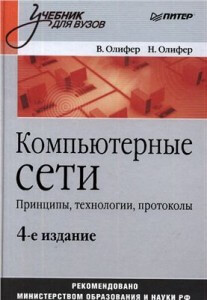 Олифер В.Г., Олифер Н.А. - Компьютерные сети. Принципы, технологии, протоколы (4-ое изд.) - 2010[/caption] Год: 2010 Авторы: В.Г. Олифер, Н.А. Олифер Язык: Русский Страниц: 943 Формат: PDF Стоимость: 100 руб. Описание Новое издание одного из лучших российских учебников по сетевым технологиям. Прошло ровно 10 лет с момента первой публикации книги "Компьютерные сети. Принципы, технологии, протоколы". За это время книга приобрела широкую популярность в России, была издана на английском, испанском, португальском и китайском языках, и с каждым новым изданием она существенно обновлялась. Не стало исключением и это, четвертое издание, в котором появилось много новых разделов, посвященных самым актуальным направлениям сетевых технологий.
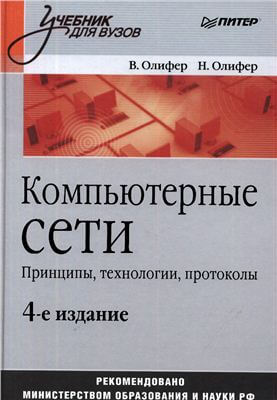 Олифер В.Г., Олифер Н.А. - Компьютерные сети. Принципы, технологии, протоколы (4-ое изд.) - 2010[/caption] Год: 2010 Авторы: В.Г. Олифер, Н.А. Олифер Язык: Русский Страниц: 943 Формат: PDF Стоимость: 100 руб. Описание Новое издание одного из лучших российских учебников по сетевым технологиям. Прошло ровно 10 лет с момента первой публикации книги "Компьютерные сети. Принципы, технологии, протоколы". За это время книга приобрела широкую популярность в России, была издана на английском, испанском, португальском и китайском языках, и с каждым новым изданием она существенно обновлялась. Не стало исключением и это, четвертое издание, в котором появилось много новых разделов, посвященных самым актуальным направлениям сетевых технологий.